
Can Samsung Smart Switch Transfer WhatsApp?
Samsung Smart Switch can help some users move WhatsApp chat history from an iPhone to a new Samsung phone.
This guide covers the main requirements, common limits, and the steps needed to complete the transfer.
If you are looking for alternatives to Samsung Switch, we’ve got some suggestions, too, including an option for transferring WhatsApp from Android to an iPhone.
Yes, Samsung Smart Switch can transfer WhatsApp from an iPhone to a new Samsung phone when the supported requirements are met.
You must use a new Samsung phone, or one that has been reset to factory settings, for the process to work properly.
Can I transfer from Samsung to iPhone with this tool?
Samsung Smart Switch only supports this transfer in one direction: from iPhone to Samsung. If you need to move WhatsApp data from Android to iPhone, you will need another tool.
How to Transfer WhatsApp using Samsung Smart Switch
Requirements:
New Samsung Phone
- Samsung Smart Switch works with new devices, or devices that have been reset to factory settings.
- If your phone is not new, you must perform a back-up and then reset the phone to factory settings.
Android10 or higher
- Your new Samsung phone must be running on Android 10 or higher to complete this transfer. If the device is much older, Smart Switch may not be the right option for WhatsApp migration.
WhatsApp Android version 2.21.16.20 or higher
- Your device should be using a current version of WhatsApp before you start the transfer.
Samsung Smart Switch App Installed on your device (version 3.7.22.1 or more recent)
- Likewise, your new Samsung phone must download the most recent version of the Samsung Smart Switch App in order to make the WhatsApp transfer.
A USB-C Lightning Cable
- You need a USB-C to Lightning cable to complete the transfer between the iPhone and Samsung phone.
If you need to purchase one, they are approximately $20.00 USD on Apple.com.
How to Complete the Transfer (step-by-step)
- Install Samsung Smart Switch App on your new (or reset) Samsung phone which runs on Android10 or higher.
- Ensure the most recent version of WhatsApp is being used on your Samsung phone.
- Start your Samsung phone and run the Samsung Smart Switch App.
- Turn on your iPhone.
- Using the USB-C Lightning cable, connect your old iPhone to your new Samsung phone when prompted by the app.
- Follow the directions given by the app, including to use your iPhone’s camera feature to scan a unique code shown on your Samsung phone.
- Your iPhone will show a message requesting the WhatsApp transfer, select “Start” to begin.
- Your Samsung device may prompt you to allow or ‘Continue’ transferring WhatsApp from your iPhone, select ‘continue’ or give permission, as needed.
- Open WhatsApp on your Samsung phone and use your previous phone number to activate the WhatsApp app.
- You will be prompted to complete the transfer by selecting ‘Import’.
- Now, finalize by activating your new Samsung phone and completing all the necessary start-up processes for your WhatsApp account. Your chat history and media files should have imported successfully and will be available on your Samsung device.
Note: Your WhatsApp chat data will still be on your old iPhone, as well. If you are selling or giving away your old iPhone you must manually delete this information for your privacy and protection.
Pros
- This is an official and free tool offered by Samsung.
- It works without a computer - you only need the new phone and your old iPhone.
Cons
- Users must use a USB-C to Lightning cable to complete the switch. Prices for these cables run an average of $15+. with the official Apple version starting at $19.99.
- There are options available to transfer WhatsApp data between devices that do not require this cable, and work right away - no need to wait!
- The Samsung Smart Switch app only supports WhatsApp transfers from iPhone to Samsung, not from Samsung back to iPhone.
- The app only works with Android10 and higher, so you must perform an update on your phone for the transfer to be successful.
- According to Samsung, the app only works with new Samsung devices, or devices set to factory settings. If your phone is not new, you must complete a backup and reset in order to make the transfer.
If you order online, you must also wait for the cable to arrive by shipping, which could take a long time.
If these limits make Smart Switch less appealing, there are other transfer options worth considering.
Alternatives to Samsung Smart Switch
1.Mobitrix WhatsApp Transfer

Our first recommendation for an alternative to Samsung Smart Switch is with Mobitrix WhatsApp Transfer. This is an easy-to-use tool that requires a regular USB cable (which probably already came with your phone) and a personal computer. It does not require technical know-how, and anyone with average computer knowledge can complete the transfer.
How to Transfer WhatsApp via Mobitrix:
- Simply download Mobitrix WhatsApp Transfer tool to your personal computer.
- Connect your two phones to your computer with USB cords.
- Start Mobitrix WhatsApp Transfer, and follow the prompts to complete the transfer between any two types of phones.

start to transfer whatsapp
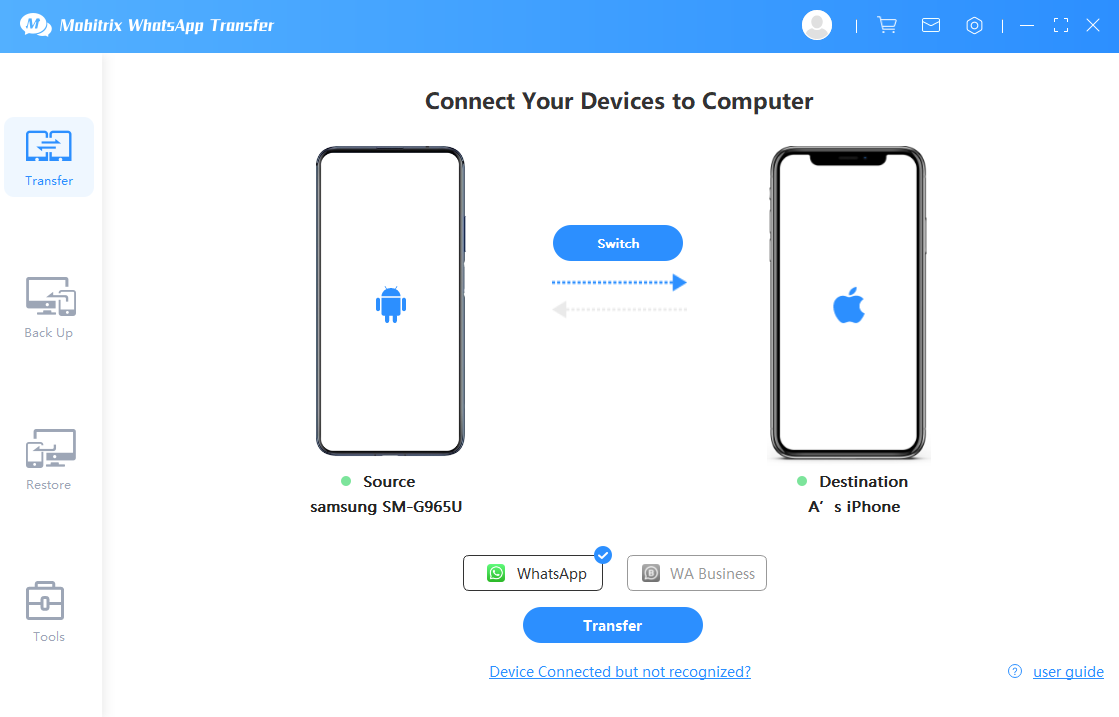
connect the 2 devices to pc
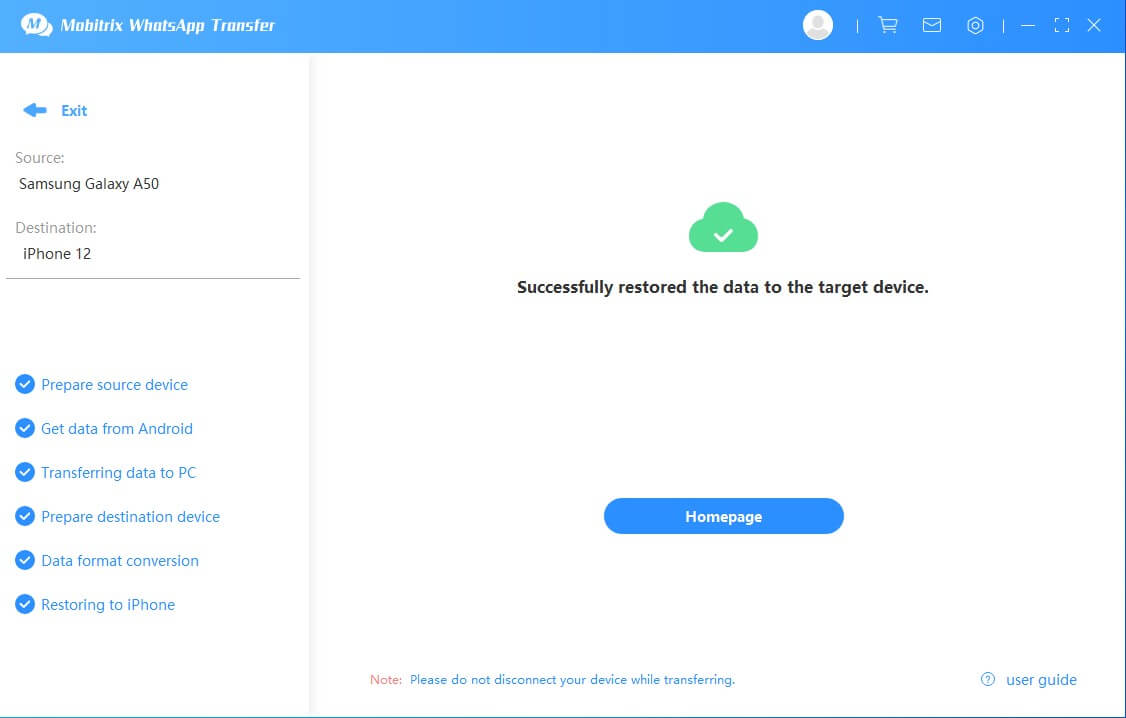
Note: Samsung Smart Switch only works to transfer iPhone to Samsung. The Mobitrix WhatsApp Transfer tool supports seamless data transfer between Android and iPhone devices, including transfers from Android to iPhone, iPhone to Android, and even between devices of the same operating system.
Advantages of Mobitrix:
- No need for a USB-C to Lightning cable. You can use the regular USB cables which came with your phones. You do not need to purchase any equipment for this option.
- Easy to use, very convenient. You can download the tool at any time and start the process right away! No waiting.
- Works with all types of data, allows transfer of media files, chats and attachments on your WhatsApp chats.
- Your data stays under your control during the transfer, and the process can be completed locally on your computer.
- The software supports many Android and iPhone models, including current devices on Android 16 and iOS 26.
One drawback is that users must install the app on their personal computer.
2.WhatsAppTrans Box
Another WhatsApp transfer tool is WhatsAppTrans Box. It is free, but it comes with some important limitations.
This tool only allows WhatsApp chat data to be transferred, not media files. But, you can avoid this inconvenience by performing a back-up of your photos and videos before completing the transfer, and then accessing them on iCloud or Google Drive, depending on which operating system you use.
Of course, if you are switching between Android and iOS, then you won’t be able to transfer the media files to your new phone (you should use Mobitrix for that). But, you won’t lose those important files completely, you can still access them online.
How to Transfer Whatsapp from Samsung to iPhone via WhatsAppTrans Box:
Transferring WhatsApp with WhatsAppTrans Box is free, but it is certainly more complicated than our #1 recommendation (Mobitrix). Here’s a brief summary of what you need to do.
- First, backup your phone. In case you make any mistake in the process, you will still be able to restore your information.
- Download the WhatsAppTransBox Zip folder to access the required files to make the transfer.
- Extract the files from the kit, once it has downloaded onto your personal computer.
- Then, download an Android Emulator tool.
- Download Whatsapp to your Emulator tool (but do not open it yet!)
- Move your WhatsApp data to your computer’s Android emulator.
- Extract WhatsApp data from the emulator to your iPhone.
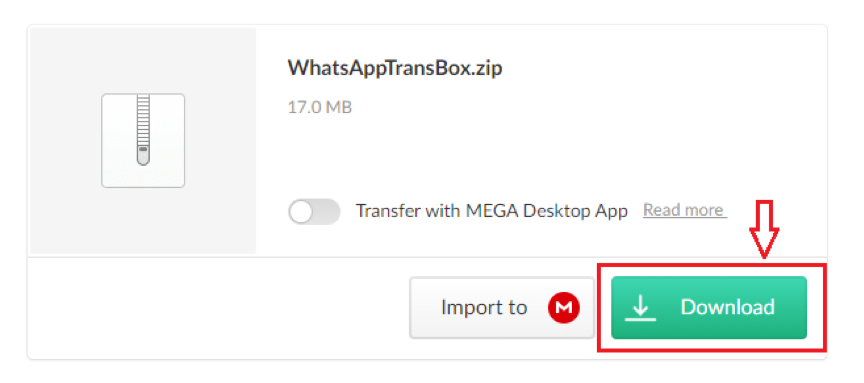
Download the Toolkit of WhatsAppTrans Box
How to Transfer WhatsApp from iPhone to Samsung via WhatsAppTrans Box:
- First, backup your iPhone. In case you make any mistake in the process, you will still be able to restore your information.
- Download the WhatsAppTransBox Zip folder to access the required files to make the transfer.
- Extract your WhatsApp data files to the kit.
- Move the files to your Samsung device, from your PC using the downloaded software.
Check the detailed steps to complete the transfer from iPhone to Samsung via WhatsAppTrans Box.
3.Email
Another option is transferring WhatsApp messages by email. This is less useful because the chats arrive as .txt files instead of working inside WhatsApp on the other device.
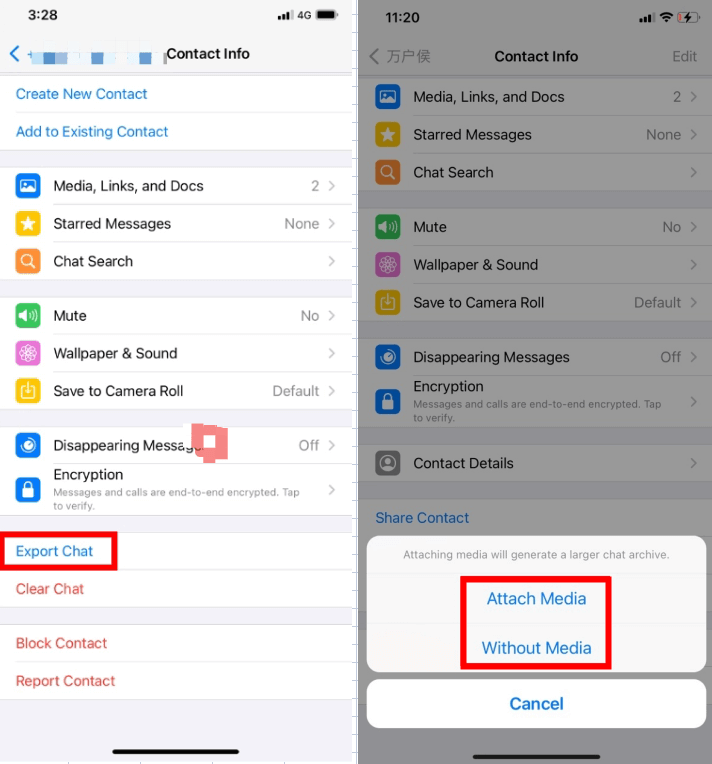
export whatsapp chat via email
Also, it sends each chat individually, which means you must do every WhatsApp chat one-by-one. Talk about tedious!
How to Transfer WhatsApp Chat via Email:
The process is pretty simple, and requires that you open your WhatsApp chat (click on each contact) and scroll down to “Export”. From there, choose to export via email and decide if you want to send with or without media files.
Then, simply email to yourself and open on your other device.
Remember, the messages will not be able to be viewed with WhatsApp, because exporting them changes the format.
Pros- No need to install third party tools. You control the entire transfer.
- Totally free!
- Works without a computer.
- Transfer via email only sends WhatsApp messages by individual contact. You cannot perform a bulk transfer via email, sending one-by-one can be very time-consuming.
- Exporting chats through email changes the format. Chats will be available in .txt format only, which is not readable with the WhatsApp app.
Samsung Smart Switch gives Samsung users an official way to transfer WhatsApp data from iPhone to Samsung phones. Still, it works best on new or reset devices that meet the required software version.
It also requires a USB-C to Lightning cable, so some users may need to buy one before they can start the transfer.
It only covers iPhone-to-Samsung transfers, so it does not help with Android-to-iPhone moves.
If you want to complete the transfer of WhatsApp messages, media files and attachments right now, the best solution is Mobitrix. For almost the same cost of purchasing a new USB-C Lightning cable you can get a one-year plan with Mobitrix and get the transfer done immediately! Mobitrix is safe and easy to use, so transfer WhatsApp data between any two phones today.
