
At times, you may purchase an iPhone, and you find the iPhone is blacklisted. How to activate a blacklisted iPhone? The why and how you can activate the blacklisted iPhone will be covered in this article. So, stick around to learn how to activate a blacklisted iPhone.
Part 1: What is an iPhone Blacklisted?
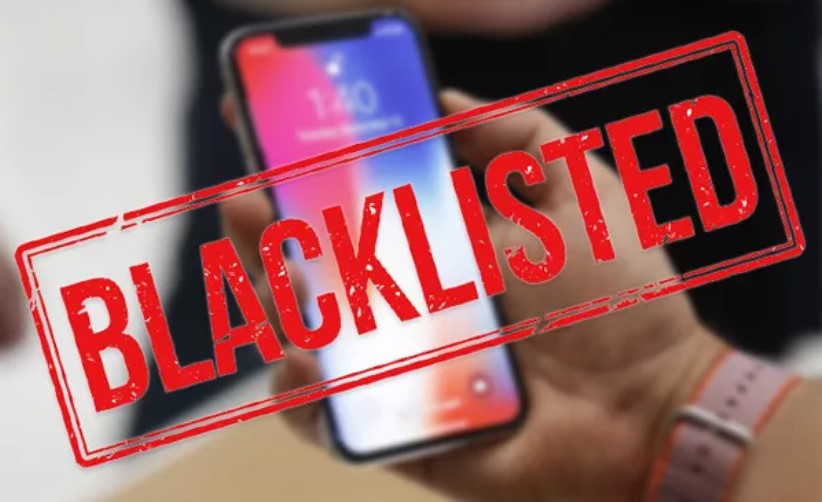
A blacklisted iPhone can happen if the device was reported lost, stolen, linked to fraud, or tied to an unpaid carrier balance. With the iPhone being blacklisted, you usually can’t use it on participating wireless carriers until the blacklist entry is removed.
blacklist
What is a blacklist? It refers to shared carrier or industry databases tied to the iPhone’s IMEI number. Networks use them to identify devices that were reported lost, stolen, or otherwise unsuitable for service.
Part 2: Why is my iPhone blacklisted?
Your iPhone being blacklisted can be due to the following reasons:
- When your carrier marks your iPhone as lost or stolen, it will be blacklisted.
- When the iPhone is associated with fraud activities.
- Apple immediately backlists the device when an iPhone gets stolen from a warehouse, a shop, or in transit.
- If you misplace an insured iPhone and it gets replaced, the IMEI associated with the lost iPhone gets blacklisted.
- If you have an outstanding bill or instalment plan with your carrier from whom you bought the iPhone, they can blacklist it for you to clear your bill.
Now that you know why your iPhone is blacklisted let’s go ahead and find out how to activate a blacklisted iPhone.
Part 3: How to Activate a Blacklisted iPhone
To unlock your backlisted iPhone, various methods can be used.
1. Contact your Carrier
The number one option to try is still to contact your original carrier and ask why the iPhone is blacklisted. If the IMEI was blocked because of an unpaid balance, insurance replacement, or an incorrect lost/stolen report, the carrier is the party that can verify the account and remove the blacklist entry when appropriate.

Support Apple Official Pic
2. Unlock Devices Affected by iCloud Activation Lock
How to activate a blacklisted iPhone by contacting your carrier works for limited users. However, if you want to activate your blacklisted iPhone, try the Mobitrix LockAway -Bypass iCloud Activation Lock regardless of the situation.

Removing iCloud Activation Lock is not the same as removing a carrier blacklist. This method only helps if the device is blocked by Apple’s Activation Lock screen; it does not clear an IMEI that was reported lost, stolen, or unpaid on a carrier block list.
To activate your blacklisted iPhone in the most recommended way, follow the quick steps below:
- Download and install LockAway.
- Open LockAway and click “Start.”
- Jailbreak the iPhone using the on-screen instructions.
- To remove the iCloud activation lock, click the “Start” option.
Once the process completes, the device may be able to pass the Activation Lock screen, but a real blacklist on the IMEI can still prevent cellular activation afterward.
Here’s why you need to use LockAway:
- LockAway activates your backlisted iPhone without using any password.
- The steps to activate a backlisted iPhone using LockAway are straightforward.
- . Once the iPhone is activated, you can set your new Apple ID to enjoy and purchase items even on the iTunes Store.
- LockAway has a user-friendly interface and guarantees success in activating your iPhone.
3. How to Activate a Blacklisted iPhone using DirectUnlocks
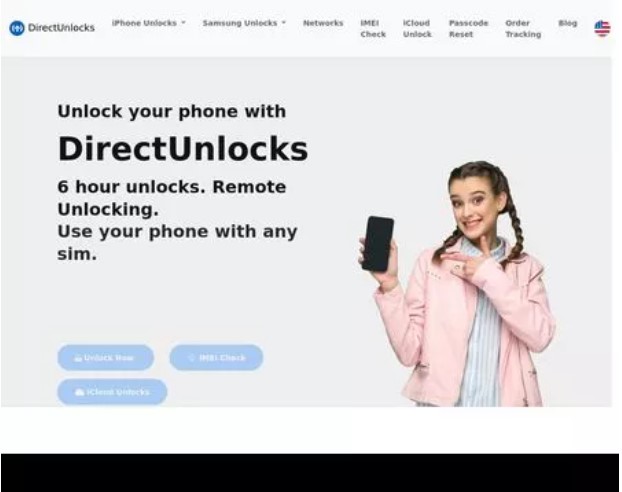
If the iPhone is marked as lost or stolen, you can use DirectUnlocks to activate it. DirectUnlocks is a safe and secure organization that offers unlocking a blacklisted phone, both iOS and Android.
To use DirectUnlocks to activate a blacklisted iPhone:
directunlocks
- Visit the DirectUnlocks website.
- Select the country and the network your iPhone is connected to.
- Enter the IMEI of the blacklisted iPhone.
- Select the model of the iPhone, then click “Continue.”
- Once you make your payment, the company will start the activating process for your blacklisted iPhone
Disadvantages of using DirectUnlocks:
- The unlocking process takes an entire day, 24 hours.
- It doesn’t guarantee success in activating your iPhone.
Why use a long and unguaranteed method while you can use the best and recommended way? Try LockAway today.
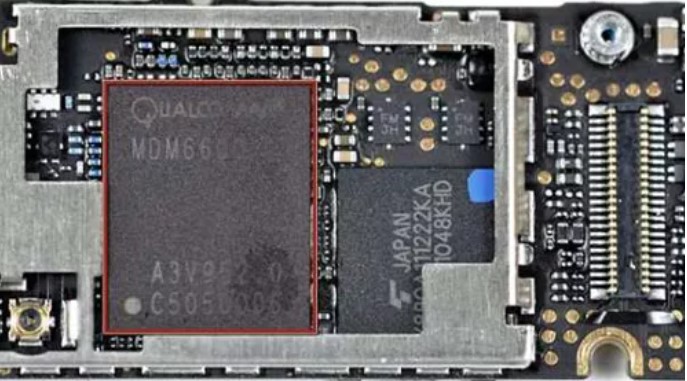
4. Replace the IMEI Chip of the Blacklisted iPhone
At times, people suggest replacing the IMEI chip of the blacklisted iPhone. However, this is outdated, technically difficult, limited to very old models, and may violate local laws or carrier rules. It is not a practical recommendation for modern iPhones.
replace ime chip
5. Reach Out to the Seller
How to activate a blacklisted iPhone can also be done by contacting the previous owner of the iPhone. Unfortunately, this is an unreliable method as it’s not every day that they will pick your call, especially if they had issues with the iPhone before selling it to you.
However, if you are successful, or if the iPhone was purchased on eBay, you can get a refund and instead acquire a non-blacklisted iPhone.
Having a blacklisted iPhone doesn’t completely render it unusable. Using the methods discussed in this article, you can easily activate a blacklisted iPhone. If you need to activate the blacklisted iPhone by removing the iCloud activation lock, the recommended way, use the LockAway tool.
How to activate a blacklisted iPhone can be tricky, but with LockAway, all this is simplified. Try LockAway today, and activate your blacklisted iPhone.
